Manage orders effortlessly with Order Manager
Order Manager is the refreshed version of the Deliveroo tablet app you already use to manage orders, with a new look and simpler functionality designed to make everyday tasks easier.
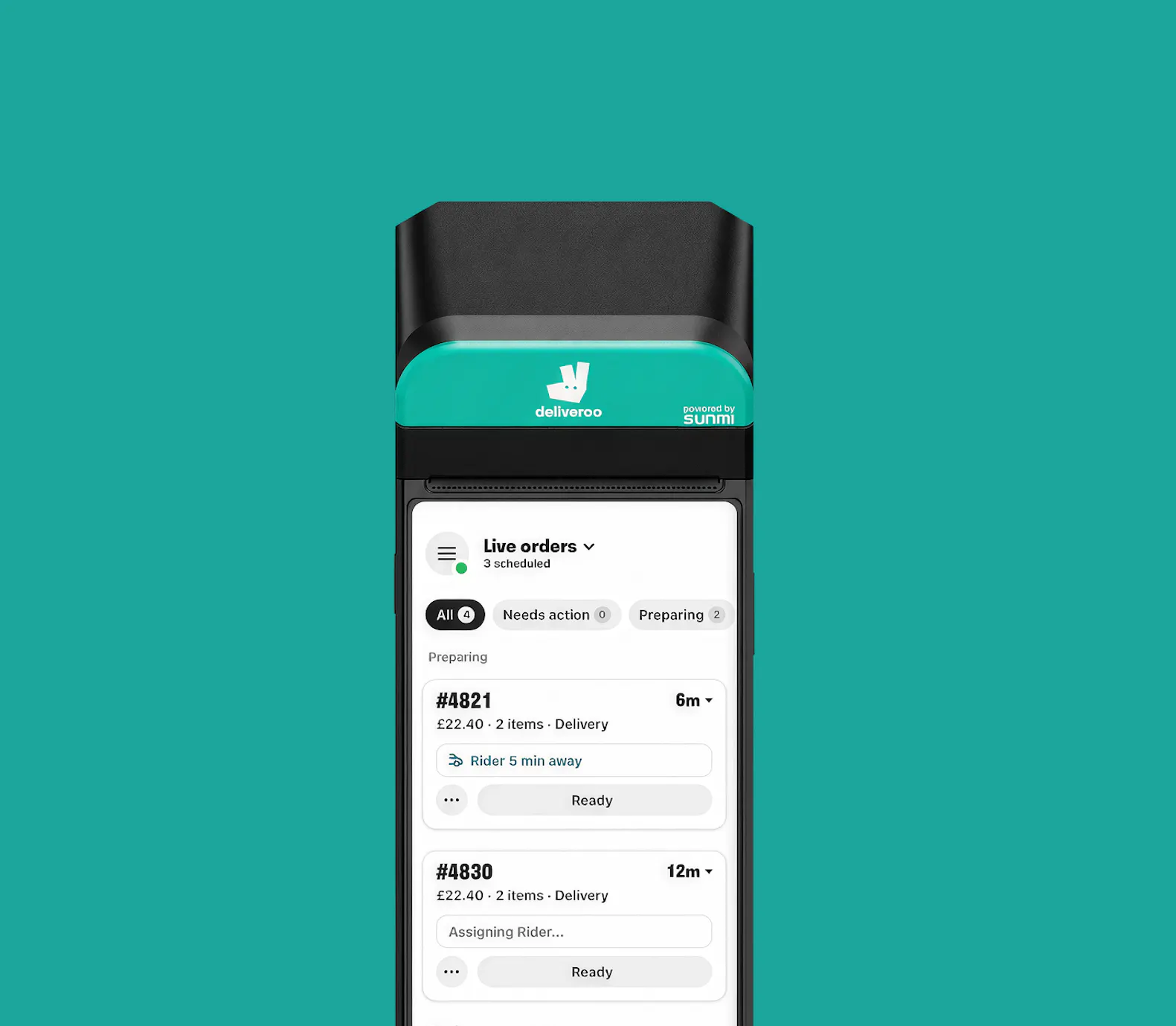
Explore the New Experience
Order Manager gives you clearer order management, smarter stock control and better visibility, so you can run your site more efficiently.
Manage live orders with confidence
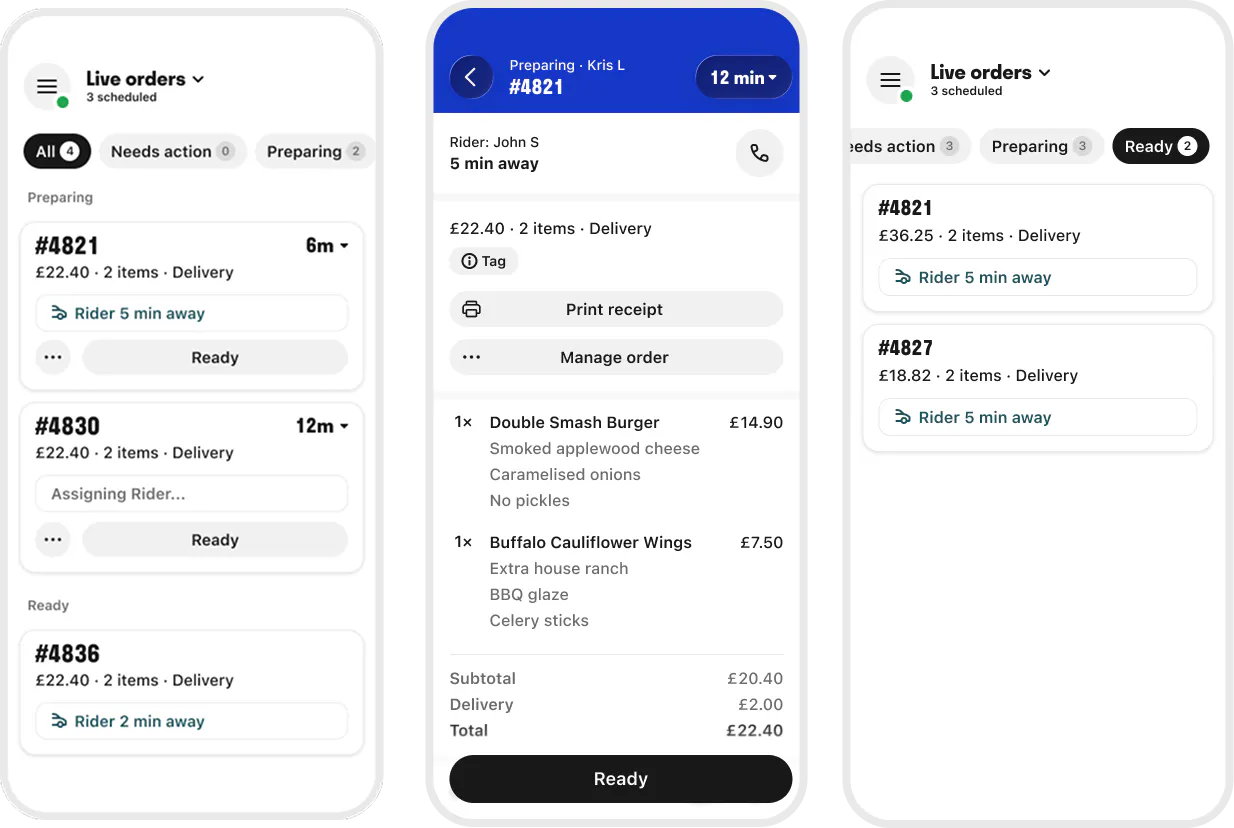
The updated ‘Live Orders’ screen makes it easier to stay on top of orders during busy services.
What's changed?
- Quickly switch between order statuses with new All, Needs Action, Preparing and Ready tabs.
- Order Ready is now easier to access directly from each order card.
- Prep times and rider arrival times are shown separately, so you can track both at a glance.
- See whether riders are early, on time or delayed with clearer rider arrival updates.
Keep your menu up to date
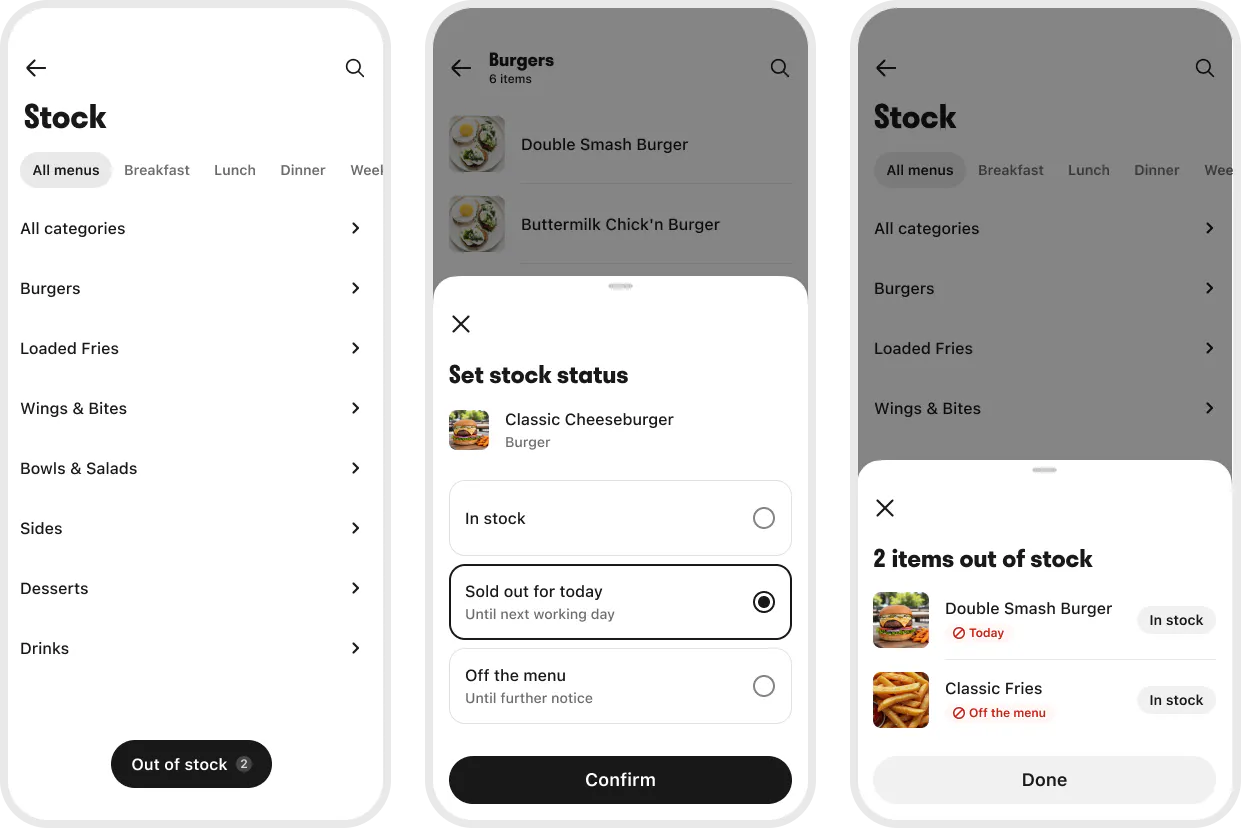
The updated Stock Management tool makes it quicker and easier to keep your menu up to date during service.
What's changed?
- Identify items at a glance with product images.
- See what's out of stock with a clear view of unavailable items.
- Restock items in fewer taps, individually or in bulk.
- Items marked Sold out for today now stay unavailable until the end of your trading shift.
Stay on top of scheduled orders
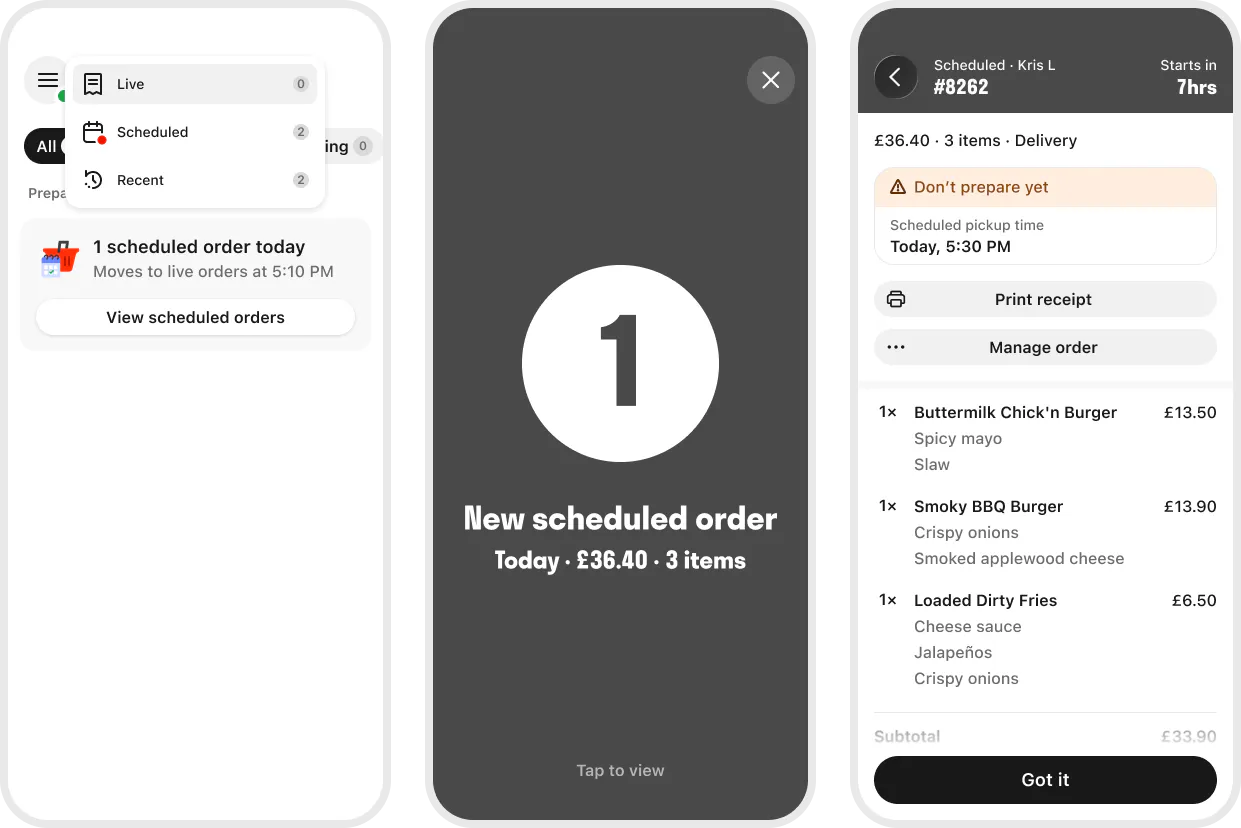
Scheduled Orders now have their own dedicated space, making it easier to plan ahead while keeping your Live Orders screen focused on what needs your attention now.
What's changed?
- View all upcoming scheduled orders in one place.
- Spot new orders quickly with alerts for orders you haven't reviewed.
- Receive reminders to help keep upcoming orders front of mind on the day of collection.
- See orders move automatically into Live Orders when it's time to start preparing them.
Clearer visibility for stacked orders
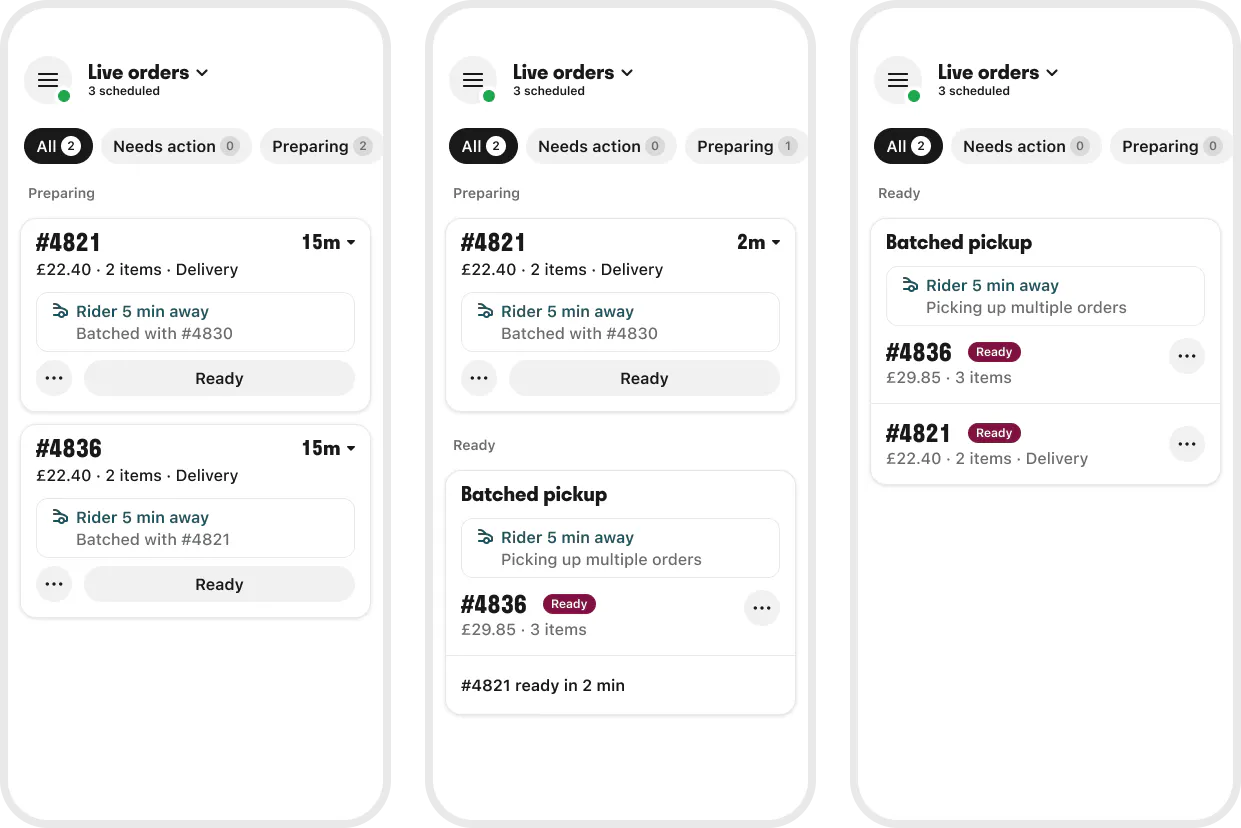
We've updated how stacked orders appear during preparation, making it easier to track each order individually.
What's changed?
- Orders remain on separate order cards while they're being prepared.
- Prep times and rider arrival times are displayed separately.
- Orders move independently through the preparation process.
- Orders assigned to the same rider are grouped together once they're ready for collection.
Never miss an order
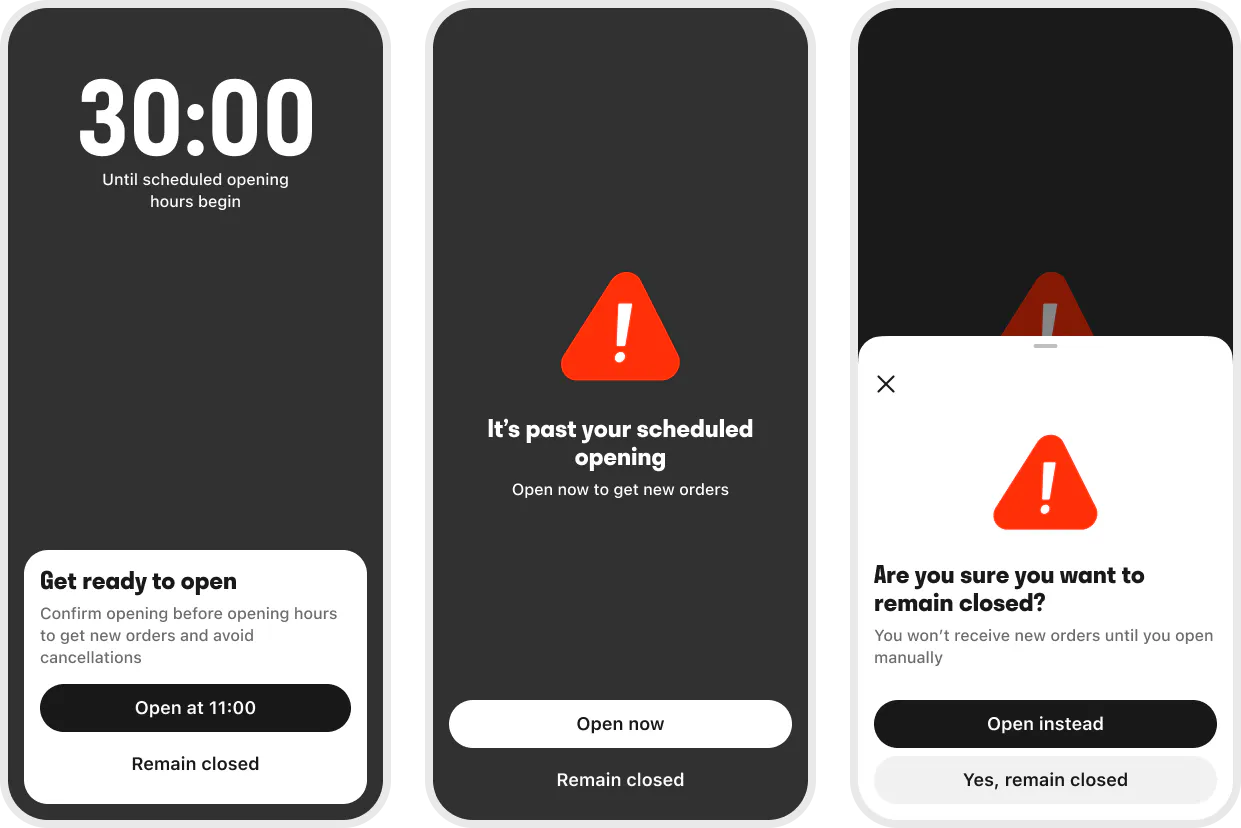
We've redesigned reminders and operational alerts to help your team take action at the right time.
Open Reminder: Receive clearer reminders before your scheduled opening time and confirm you're ready to receive orders. If your site hasn't opened on time, you'll receive additional prompts to help you get started.
Are You Still There?: If cancellations or rejections suggest your site may need attention, you'll receive a simplified reminder to review your site status.
The new Order Manager will begin rolling out from 27 July. To ensure a smooth rollout, updates will be released in phases over several weeks. Once your site is ready, the update will install automatically on your tablet. You don't need to take any action.
We spoke to Merchants across multiple markets who told us they wanted a faster, simpler way to manage orders. That's why we've upgraded Order Manager with a cleaner design, improved stock management, clearer order management and better visibility throughout service, helping you complete everyday tasks more efficiently.
The vast majority of the functionality you use today is available in the new Order Manager. A small number of features won't be available at launch, including Item Substitutions, Need More Time, Large Orders and Setting Days Off. These features are planned for a future Order Manager update. In the meantime, alternative ways to complete these tasks are available.